
How It Works
A simple guide to ordering drops from local Artizans
Browse Available Drops
Start by visiting the Drops page to see all available food drops from local Artizans. You can filter by product type (e.g., Bread, Pastries, Vegetables) and use the location filter to find drops near you.
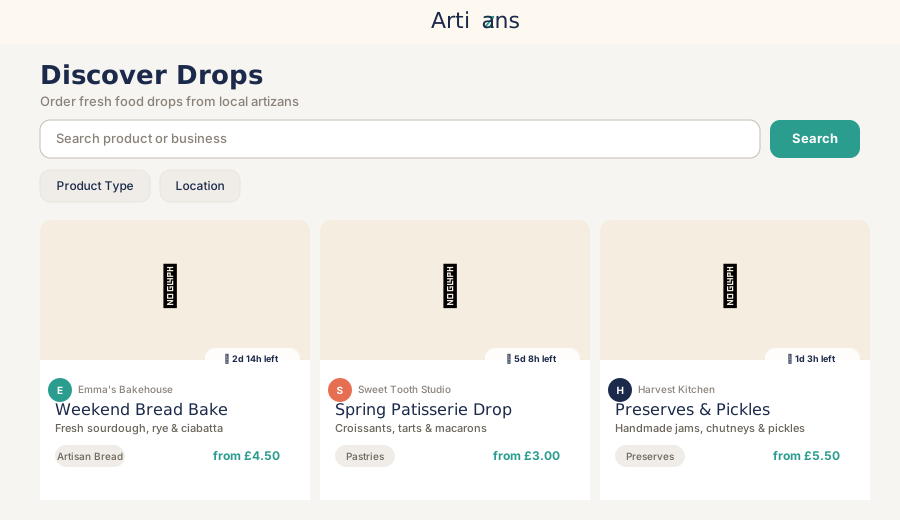
Tip: Use the location filter to find drops within your preferred radius. You can enter your postcode or use your browser's location.
View Drop Details
Click on any drop card to see full details including:
- Drop title and description
- Available items and their prices
- Order deadline (with countdown timer)
- Ready date
- Delivery and pickup options
- Artizan information
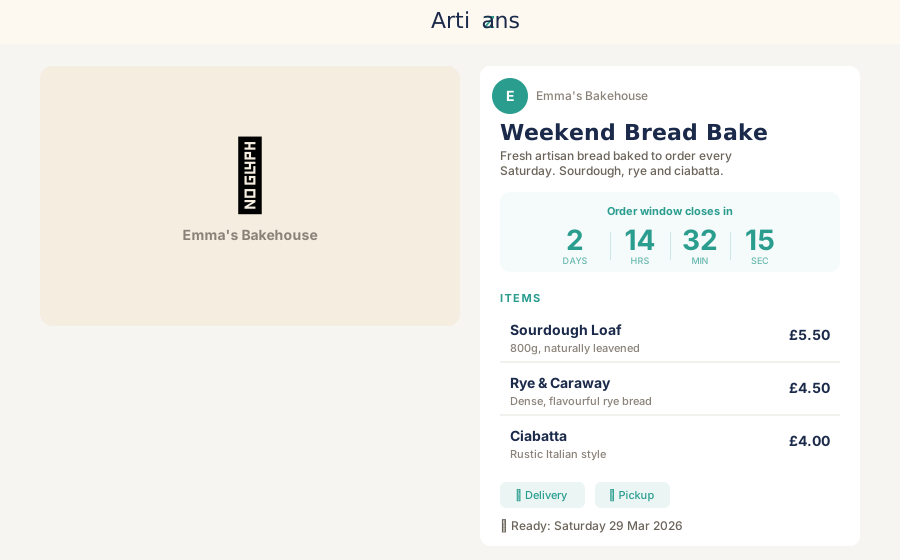
Note: The countdown timer shows how much time is left to place your order. Make sure to order before the deadline!
Select Items and Quantities
Each drop contains multiple items. Use the + and - buttons to select how many of each item you'd like to order. You can see the price per item and the running total as you make your selections.
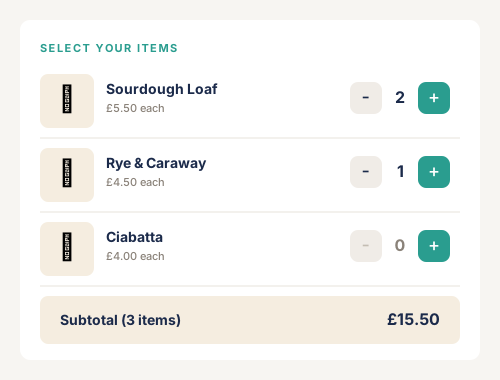
Tip: You can select multiple items from the same drop. The total will update automatically as you change quantities.
Choose Delivery or Pickup
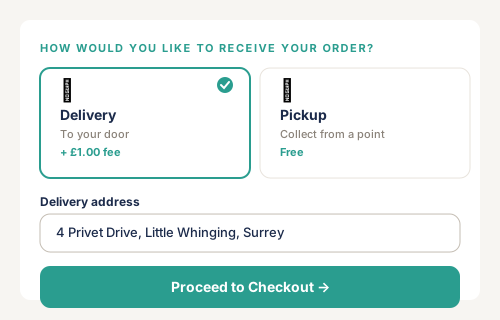
Select how you'd like to receive your order:


Delivery
Enter your delivery address. Delivery fees (if applicable) are shown clearly before checkout.


Pickup
Select a collection point from the dropdown. Collection points show the address and location details.
Review and Checkout
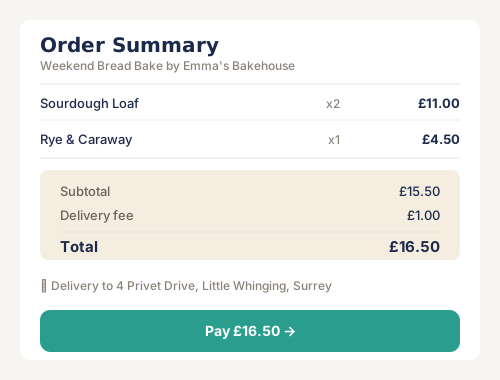
Before proceeding to checkout, review your order summary which shows:
- Selected items and quantities
- Subtotal
- Delivery fee (if applicable)
- Total amount
Click "Proceed to Checkout" to complete your order. You'll need to be signed in to continue.
Complete Payment
You'll be redirected to Stripe's secure checkout page to complete your payment. Stripe handles all payment processing securely. You can pay with:
- Credit or debit cards
- Apple Pay
- Google Pay
- Other payment methods supported by Stripe
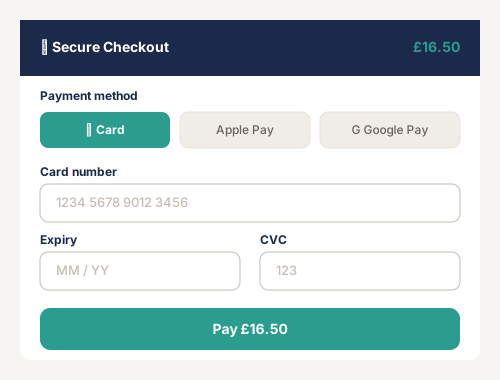
Security: All payments are processed securely through Stripe. We never store your card details.
Order Confirmation
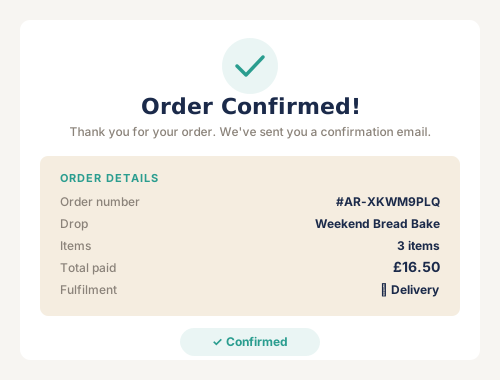
After successful payment, you'll see your order confirmation page with:
- Order number
- Order details and items
- Fulfillment method and address/collection point
- Order status
- Ready date
You'll also receive a confirmation email with all the details. You can track your order status from your account dashboard.
Receive Your Order
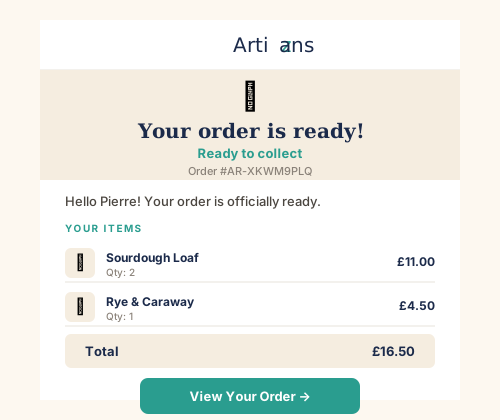
When your drop is ready, you'll receive an email notification with:
- Ready date and time
- Pickup window (if applicable)
- Delivery window (if applicable)
- Collection point details (for pickup orders)
For pickup orders, visit the collection point during the specified window. For delivery orders, be available at your delivery address during the delivery window.
Ready to get started?
Browse available drops and order from local Artizans today.